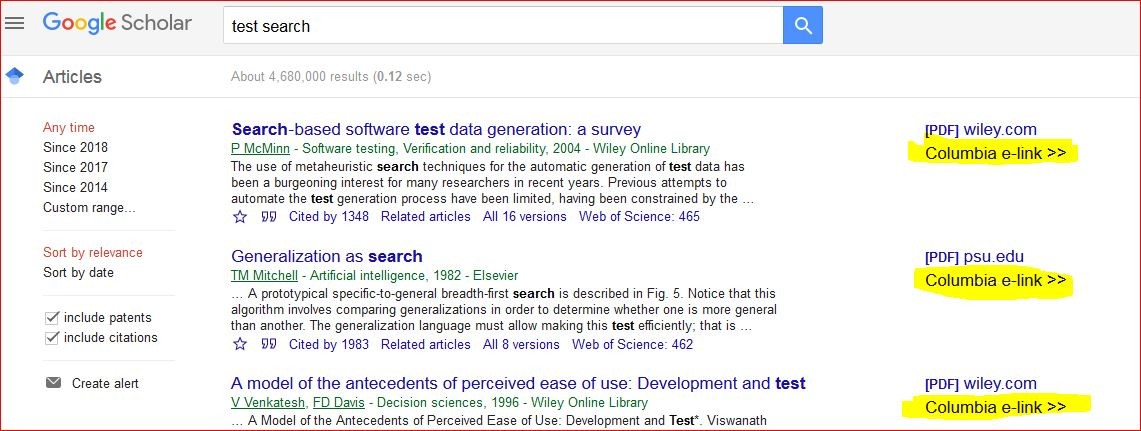
Google Scholar
You can access Columbia University Library resources directly from Google Scholar. To do this, you will need to adjust your settings in Google Scholar.
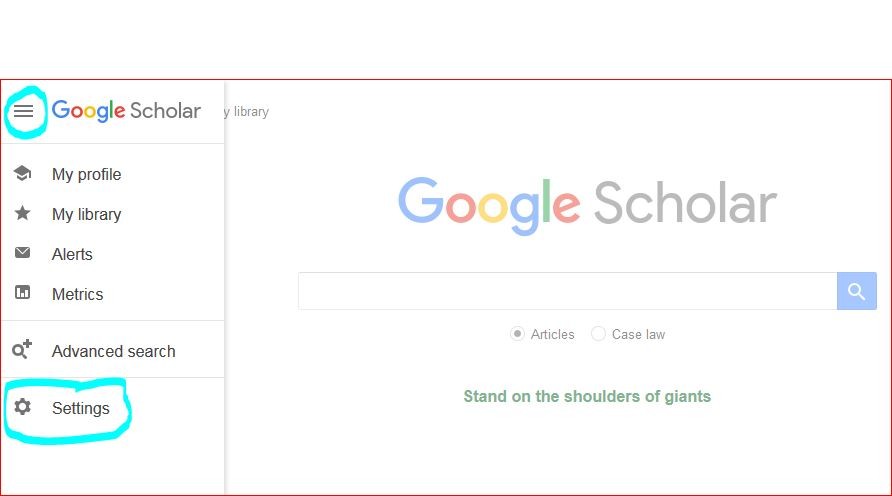
- Go to scholar.google.com, click on the 3 horizontal bars in the upper left-hand corner of the screen, then
- Click on Settings, represented by the gear icon that appears.
- Click on Library links in the left-hand menu.
- Search for Columbia University and select
Columbia University in the City of New York - Columbia e-link >>
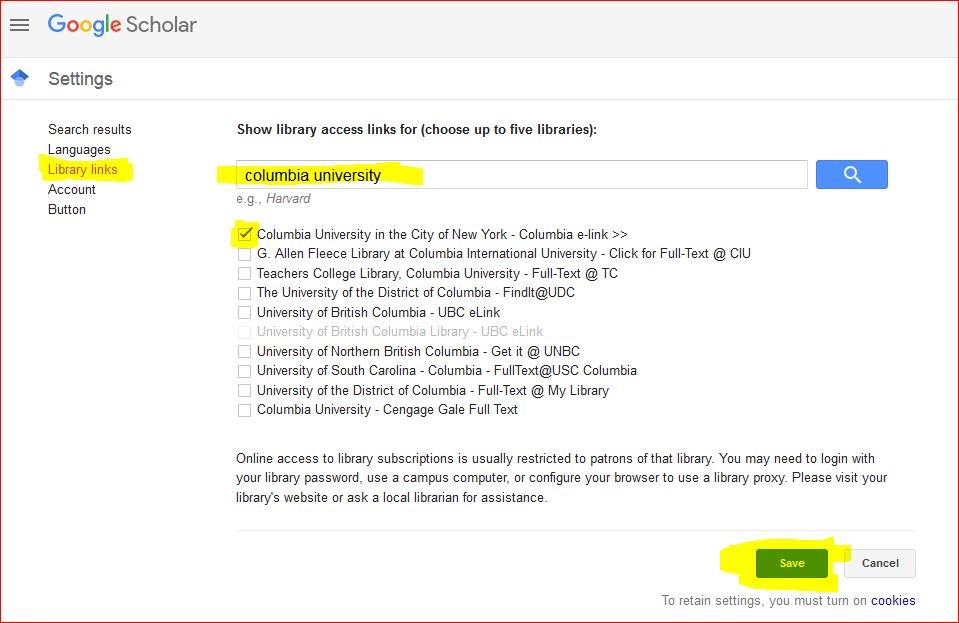
- Hit Save and conduct a search in Scholar.
- Click the Columbia e-link >> link attached to search results, which contains full-text links to Columbia University Libraries' subscriptions.