Searching Oral History Collections in CLIO
Depending on the interview, the Oral History Archives at Columbia may hold audio, video, a transcript, or any combination of those formats. The CLIO catalog record for each interview indicates the types of materials associated with the interview (e.g., “transcript,” “leaves/pages,” “cassette,” “.wav files,” etc.).
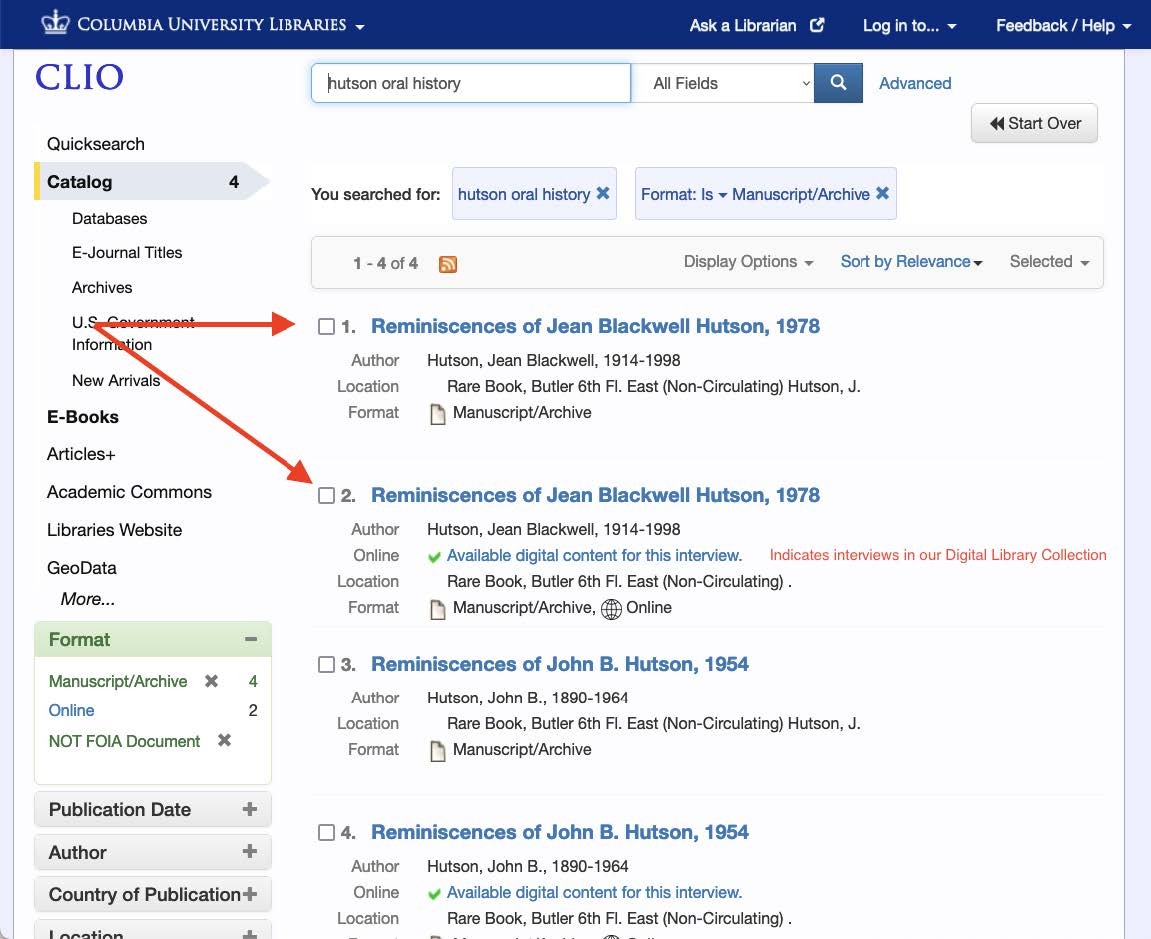
Search for Oral History interviews in CLIO
Start by checking the CLIO record to see what formats exist, then use the appropriate access path—online transcript, digital file request, or reading room listening—to work with the material.
- Transcripts:
In most cases, the quickest way to review an interview is via its typed transcription. Many transcripts are already digitized and freely accessible through the Digital Library Collections. For paper‑format transcripts, you have two options: schedule an appointment in the Rare Book & Manuscript Library Reading Room and examine the transcript on site or, if the transcript is fewer than 650 pages, you can request a scanned digital version for personal research use using the Oral History Transcript Order Form. - Audio/Video not online:
If the recording has not been transferred from analog (e.g. reel, cassette, mini-Disc) to digital media, you can begin your request for digital reformatting of the original media by emailing the oral history reference desk. - Digital audio (already transferred or "born‑digital"):
To listen to these files in the reading room, you’ll need a Special Researcher Account. Alternatively, you can order the digital files for electronic delivery by emailing the oral history reference desk.
Some oral history interviews have multiple catalog records. This either indicates more than one unique interview with the same narrator or there may be one record for the analog material(s) (i.e. transcript and audio) and another record for newly reformatted, or “digitized” materials, such as scanned transcripts and digital audio files.
View the CLIO record to find out more about the material. Two helpful sections to look at in the main part of the page are Description and Access and Use.
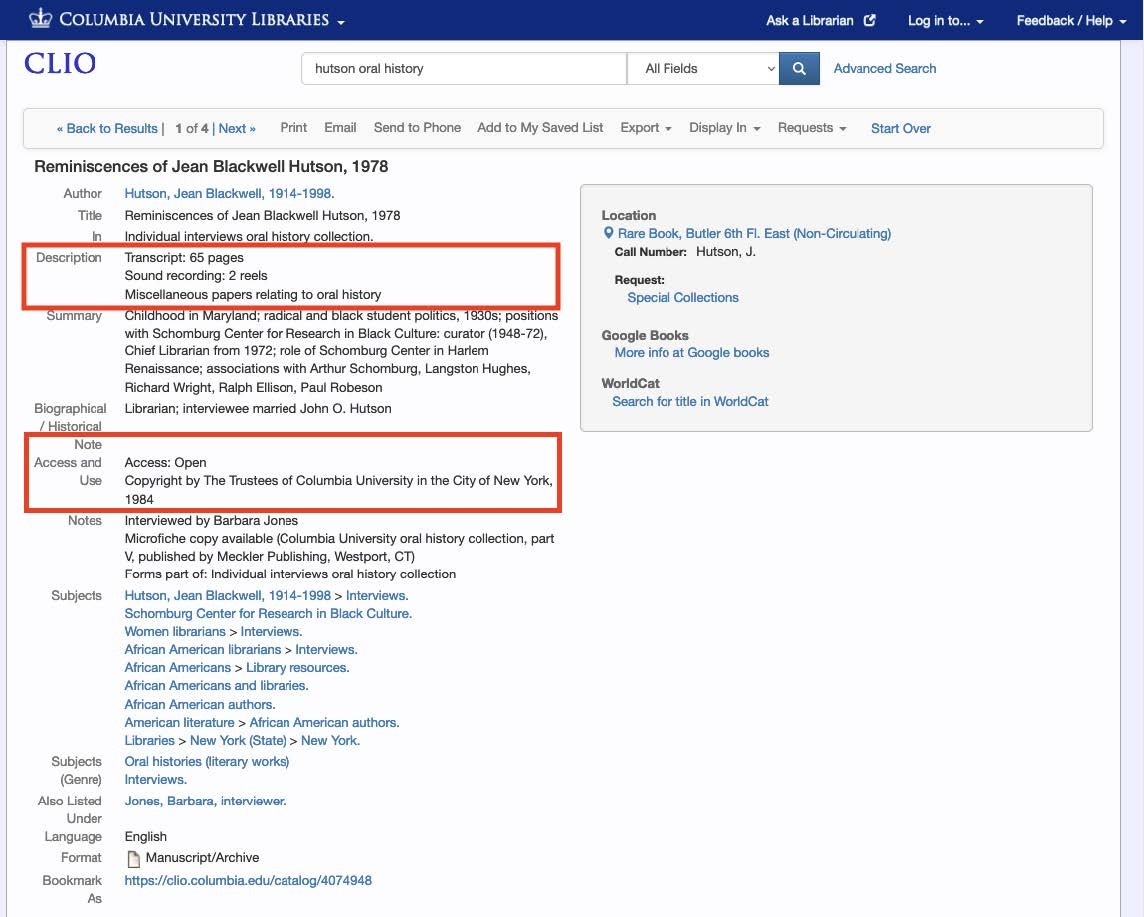
Description
- See whether a transcript is available and the number of pages/leaves.
- See whether audio is available. The record may list the audio type, such as reels, cassettes, digital. If there is no audio listed, there is no audio available to review.
Access and Use
See whether the interview is "open", "closed", requires permission to use, or has other restrictions.
- Open:
The CLIO record lists “Access: Open.” You may read the transcript in the Rare Book & Manuscript Library reading room without contacting the Oral History Archives first. Simply schedule your visit. - Closed:
The record shows “Access: Closed” or “Access: Written permission required.” You must contact the Oral History Archives ahead of time to obtain permission. - Most interviews in the Oral History Archives are open. If you need a closed interview, reach out to us—its restriction may have been lifted.
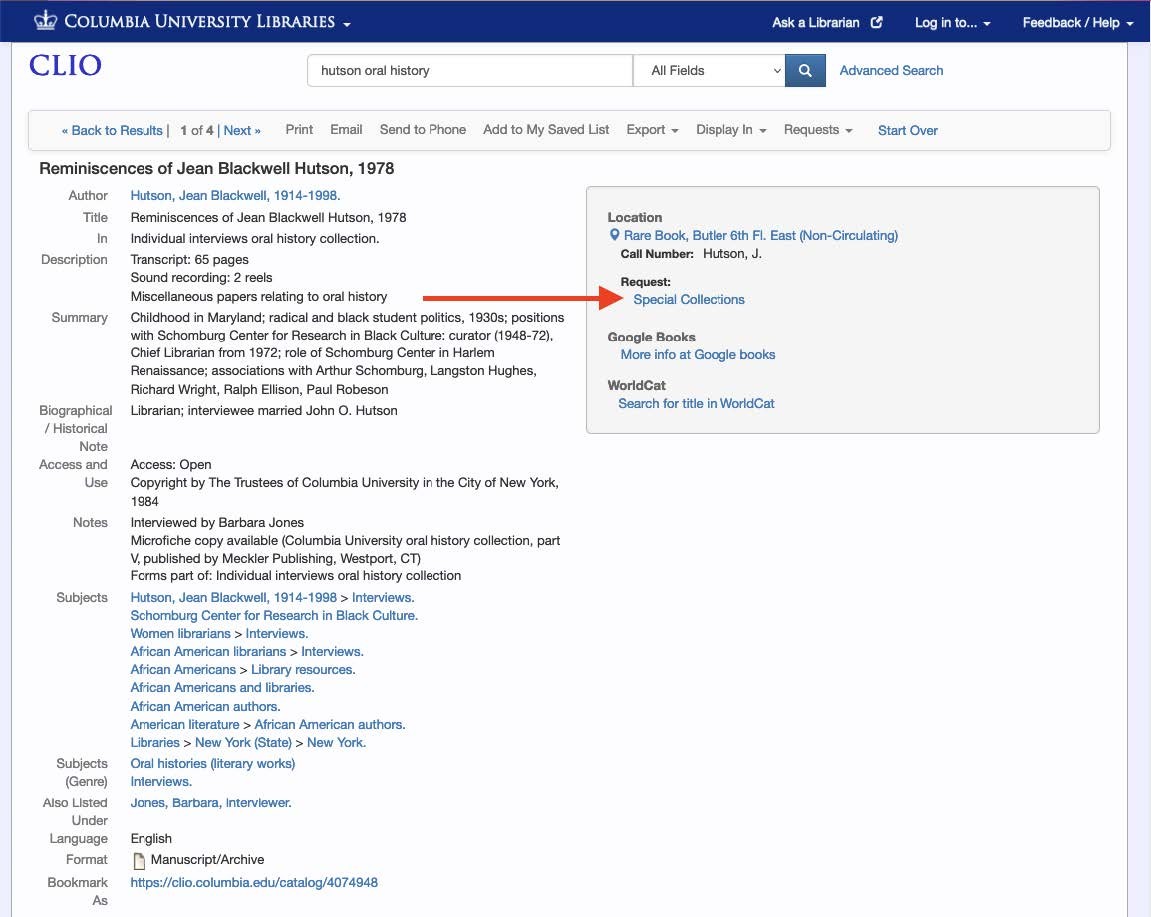
The gray box on the right side of the CLIO record shows your options to view the material.
Online Access
For online content, links will be included in this section of the gray box. You may need to log in with your UNI.
Request
Oral History materials that are not online are available to use in the RBML Reading Room by appointment only. To add materials to your account for a reading room appointment, select the "Special Collections" link in the "Request" section. This will take you to the Special Collections Researcher Account login page. If you do not already have an account, you will need to create one.
After logging in, check that the interview information has auto-populated in the "Request Details" window. Most important are the interview title/narrator name, collection title (if applicable), and interview date.
Your final step will be to request a reading room appointment date. Learn more about booking your appointment and planning your visit.