Get Articles
There are many different ways to access articles at no cost to you. Learn how to search for a journal or article using its title or DOI (Digital Object Identifier) in CLIO or Google Scholar, or get articles delivered electronically via Article Galaxy Scholar or Interlibrary Loan (ILL). Or, get specific help with Elsevier-published content below.
How To:
- Search for the article by title or DOI in CLIO Articles+
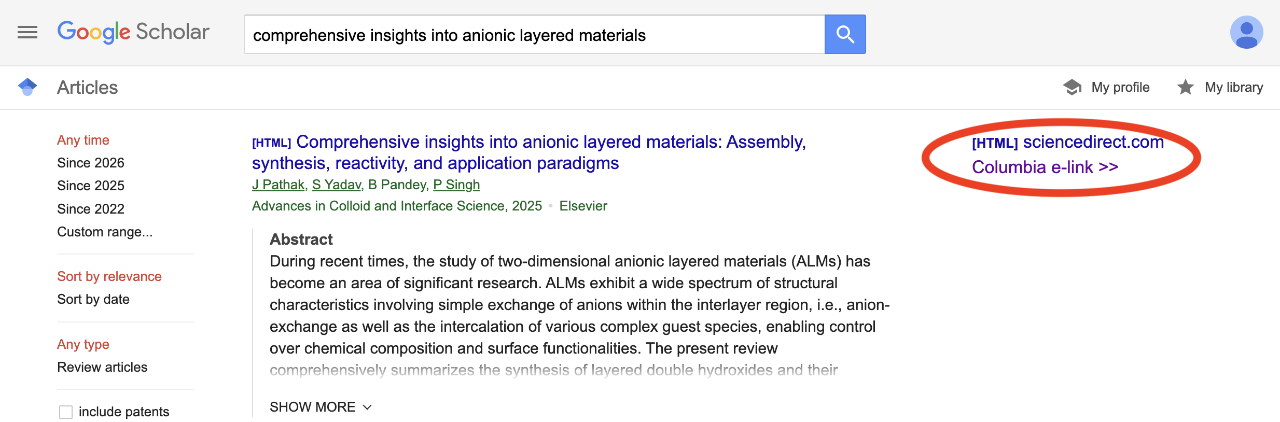
- Search for the article by title or DOI in Google Scholar
- If "Columbia e-link >>" does not automatically appear in your Google Scholar search results, follow these instructions to add "Columbia e-link >>" links to your Google Scholar.
- Find the journal by title in CLIO Journals
Still can't find what you're looking for?
- Request an article to be delivered directly via email through Interlibrary Loan
- Trying to find an Elsevier-published article? Try one these workflows
- Ask A Librarian
If you land on an error/denial page (like the “No results found” page below), try to modify your search and check your spelling.
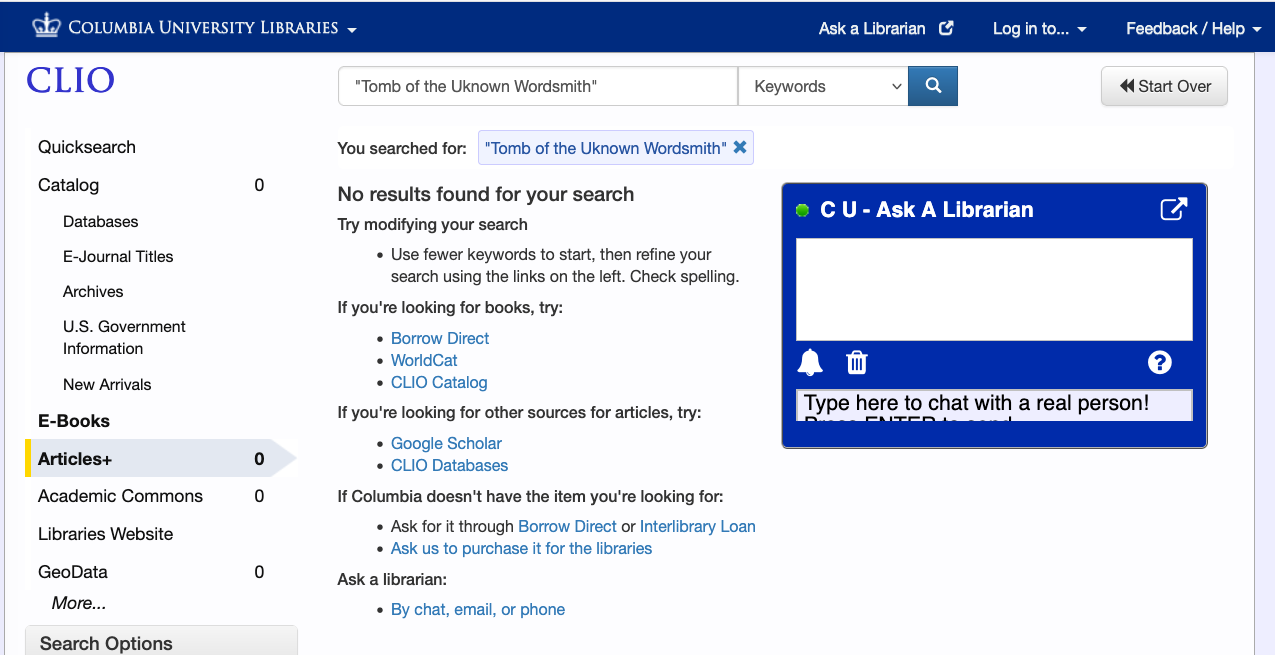
Still not finding your desired result? Try requesting it through Interlibrary Loan or Article Galaxy Scholar.
- Get an article delivered directly via email through Interlibrary Loan or Article Galaxy Scholar.
Articles will be delivered as PDFs via email
Interlibrary Loan: Articles typically delivered in 1-2 business days
Article Galaxy Scholar: Articles typically delivered in 1 hour
Need help? Ask a Librarian.
We have recently implemented a new model for on-demand access to Elsevier-published literature on a per article basis. For Elsevier content that is published on or after January 1, 2026, Columbia users have access to that content through Article Galaxy Scholar, an on demand delivery service. In most cases, content published on or before December 31, 2025 will remain accessible to Columbia users on Elsevier’s ScienceDirect platform.
Using EBSCO Discovery Service (EDS), also known as Find Articles, to find and access Elsevier-published articles
Search for ScienceDirect articles in EDS, https://research-ebsco-com.ezproxy.cul.columbia.edu/c/mxdnr3/search/advanced/filters?autocorrect=n.
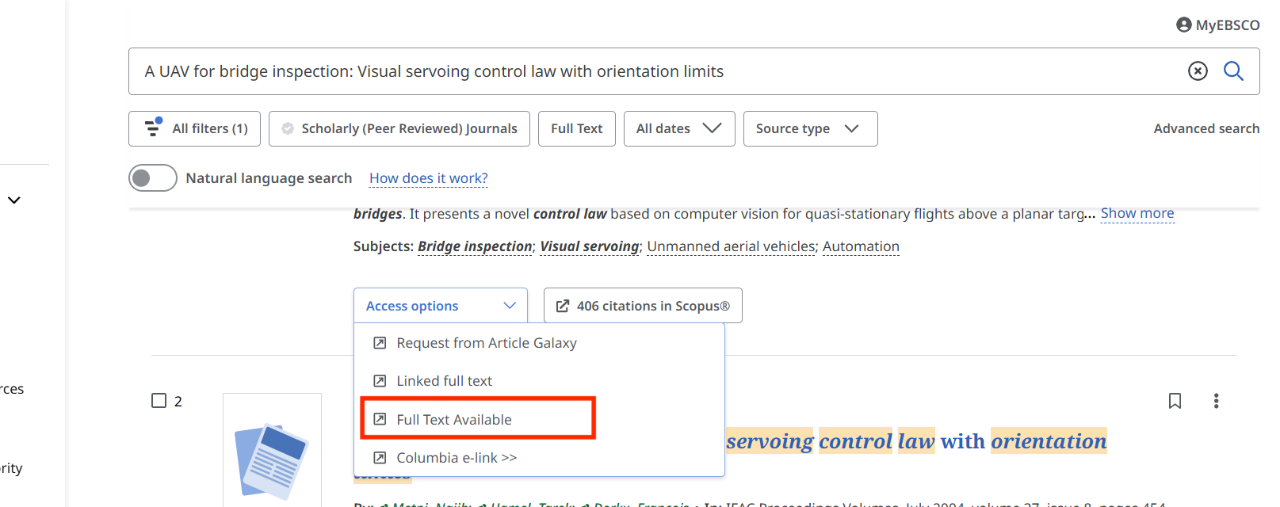
In EDS when the full text is available, use the "Full Text Available" option under Access Options to get to the PDF as shown in the screenshot:
If the "Full Text Available" option is not in the list of Access Options, please select the "Request from Article Galaxy" option as described below.
Follow these steps to locate and request an article from Article Galaxy:
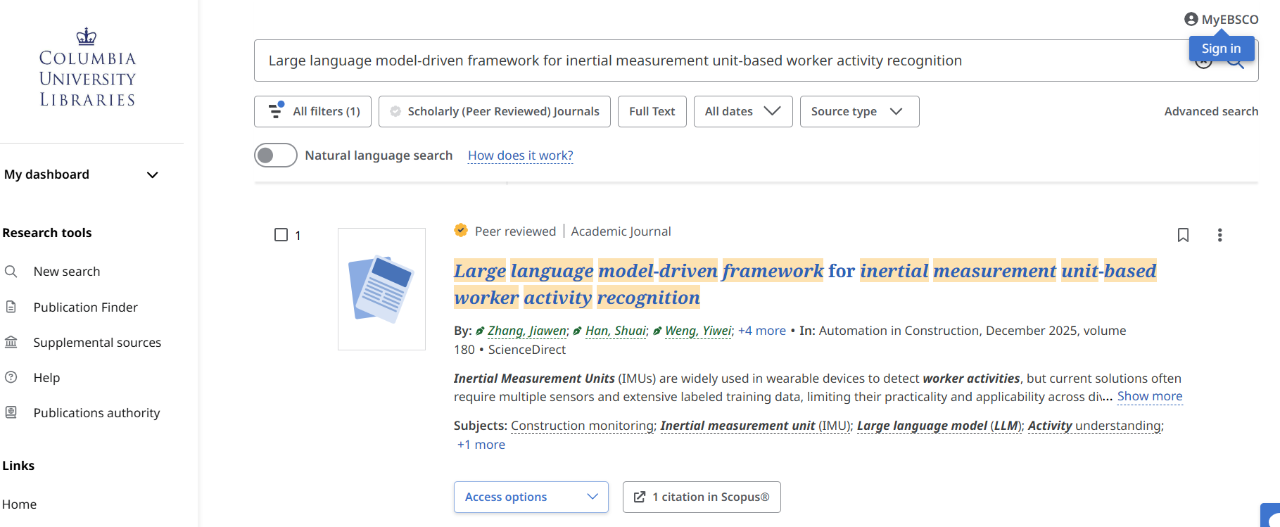
Search for articles by title, author name(s), or key words in EDS.
In this example, we searched for an article titled Large language model-driven framework for inertial measurement unit-based worker activity recognition:
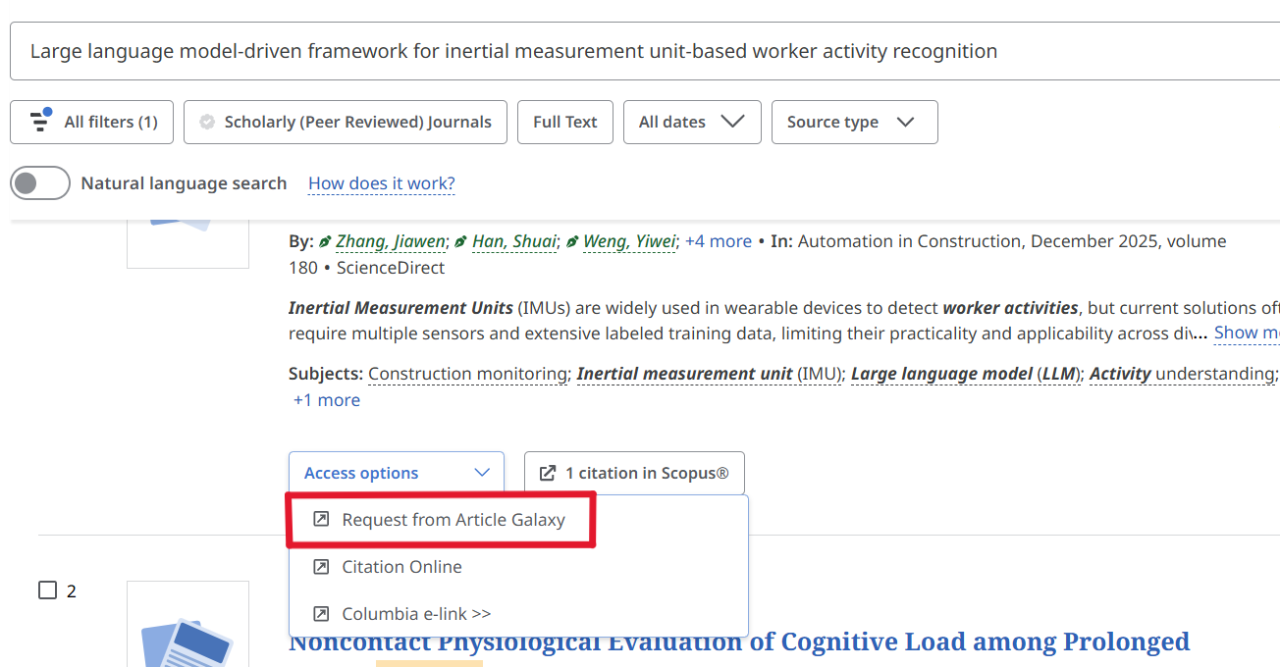
Under Access Options, select the "Request from Article Galaxy" option.
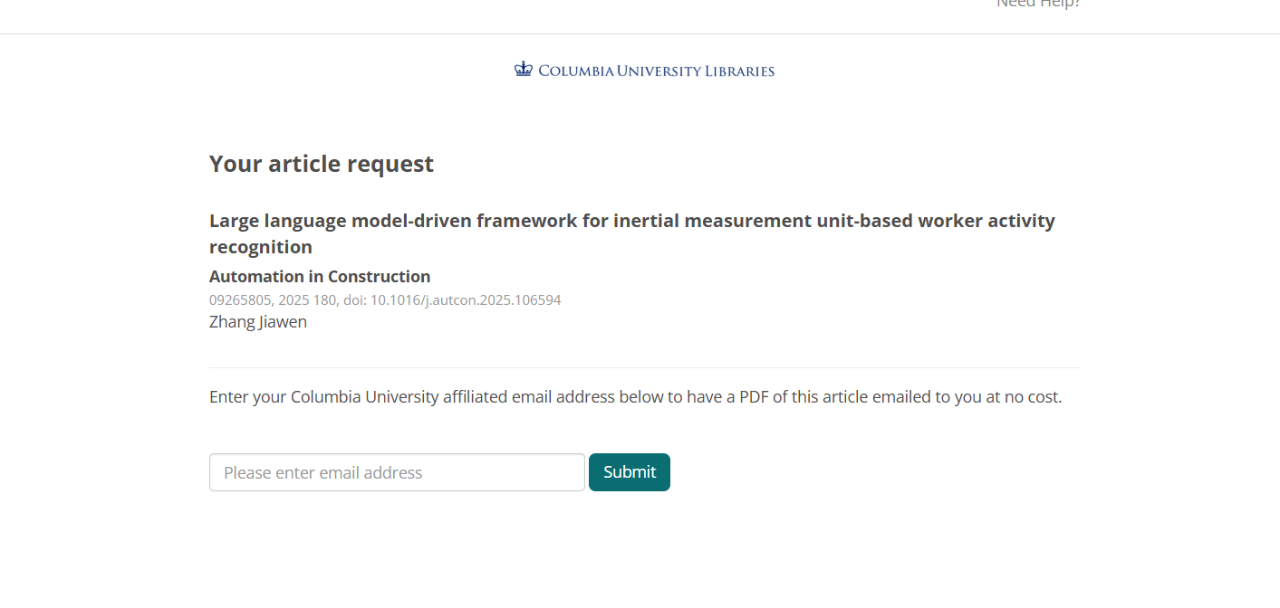
That option links to a page where you can enter your Columbia University affiliated email address to have a PDF of the article emailed to you at no cost.
Get Help with Elsevier-Published Articles
If you’re searching for an Elsevier article, you may encounter the Article Galaxy Scholar (AGS) service.
When you search for an Elsevier article and follow the prompts to request it, Article Galaxy Scholar prompts you for your institutional email, you can have your requested article delivered to you by email, usually in one hour.
If you have received an order confirmation but have not received the article via email, please Ask a Librarian for help.
Depending on what type of search you do, the steps to get there will look different:
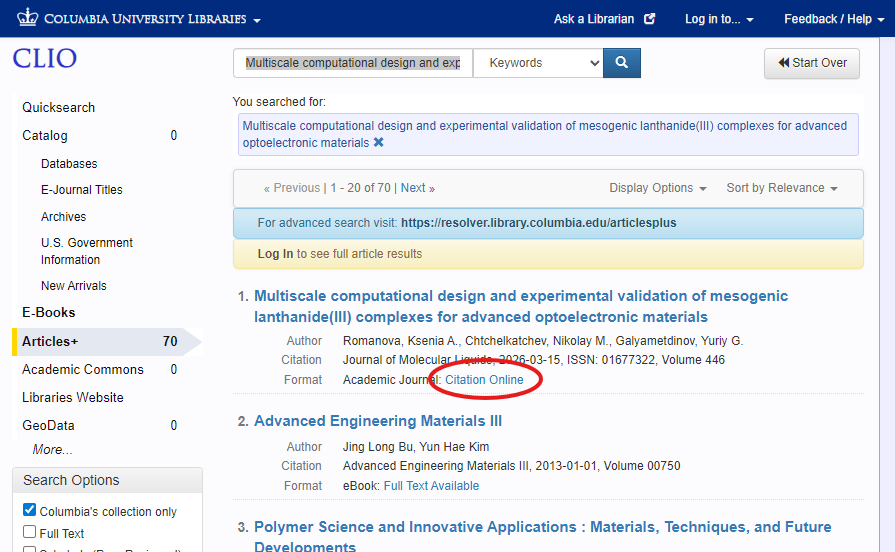
From CLIO Articles+ basic search, click the "Citation Online" link:
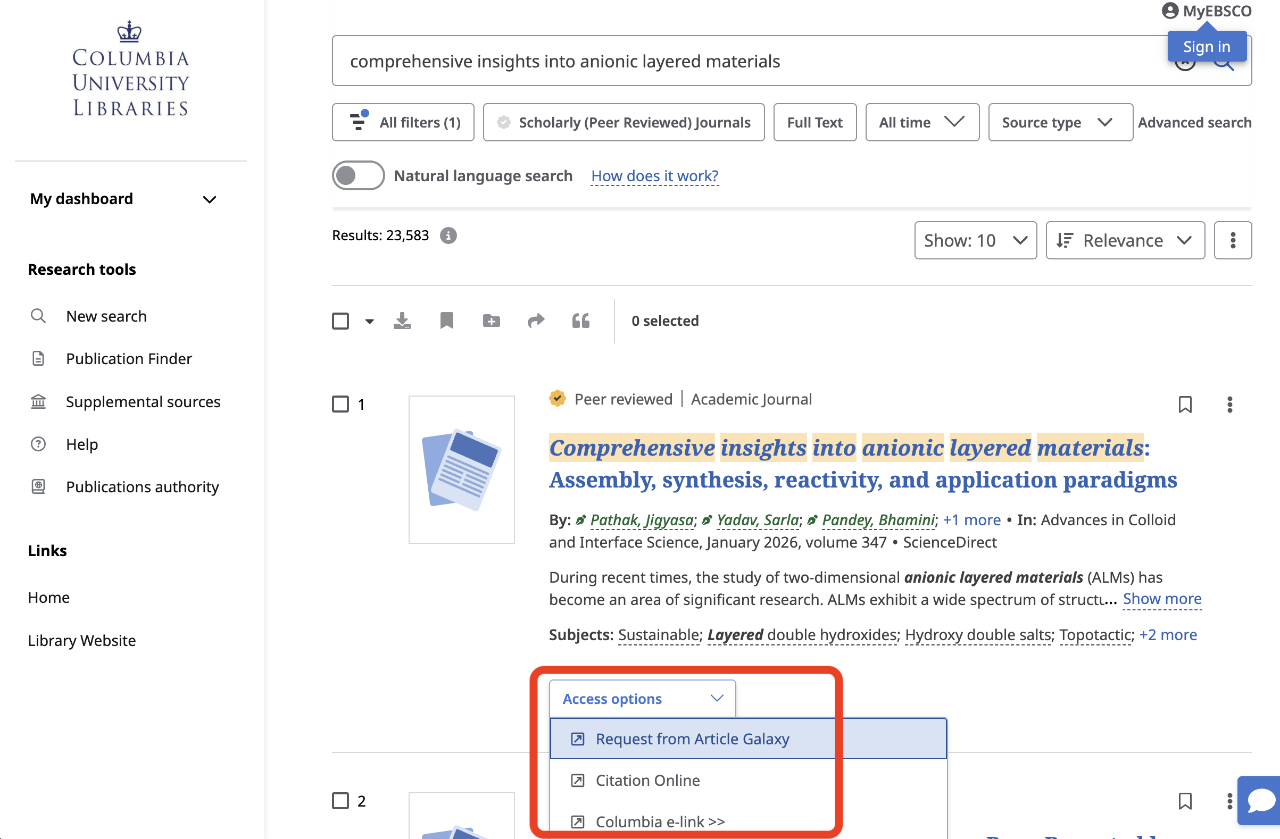
From CLIO Articles+ advanced search, click the "Access options" dropdown and select "Request from Article Galaxy":
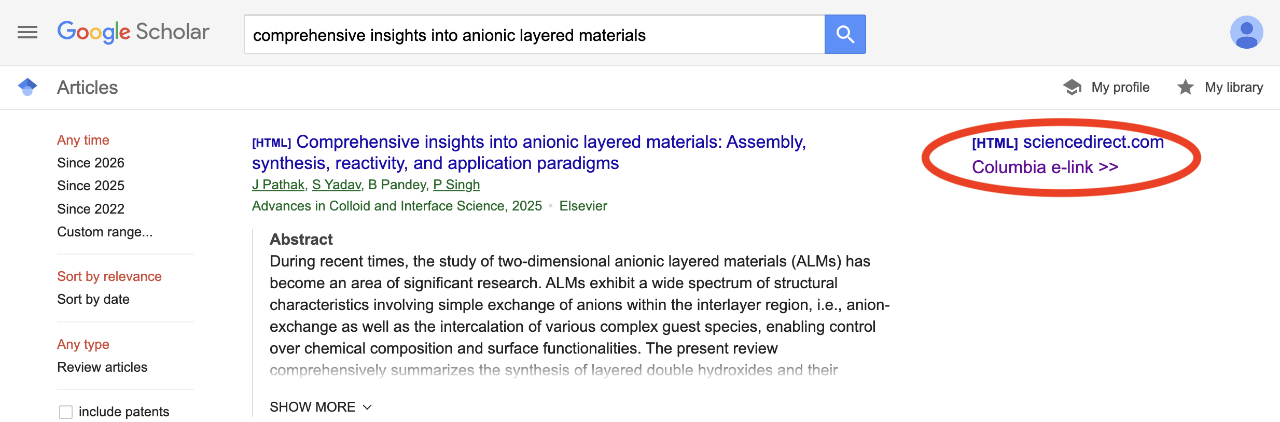
From Google Scholar, click "Columbia e-link":
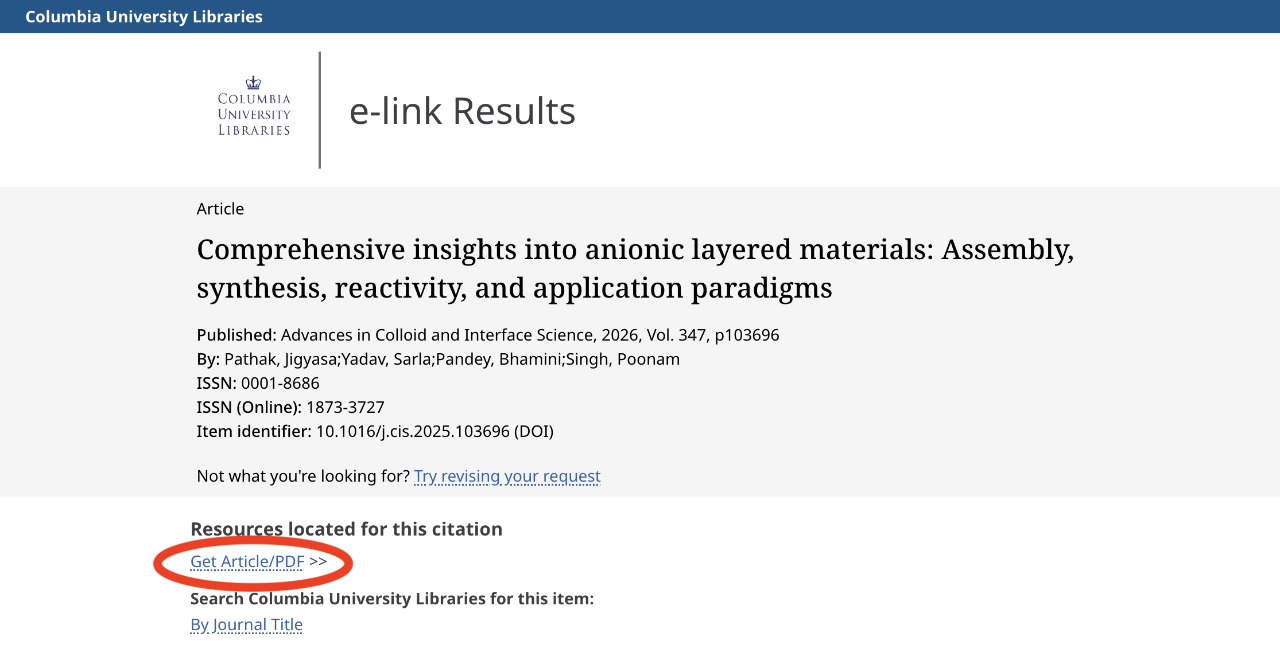
On the Columbia e-link Results page, click "Get Article/PDF":
In Article Galaxy Scholar, follow the prompts to have your article emailed to you within an hour.
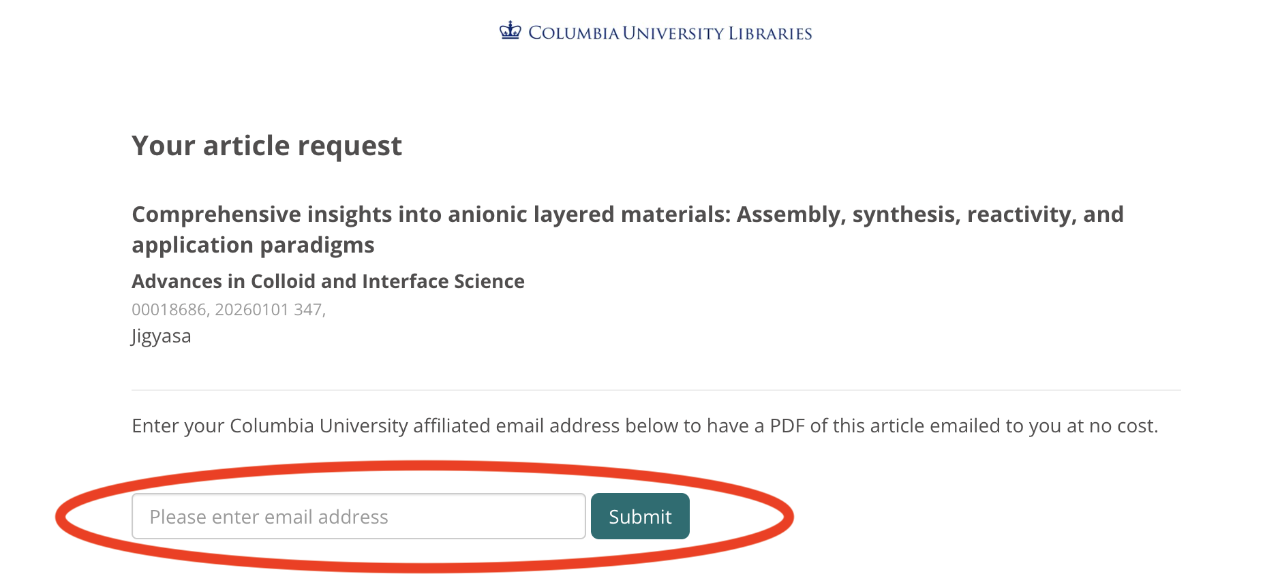
Enter your Columbia email address and click "Submit".
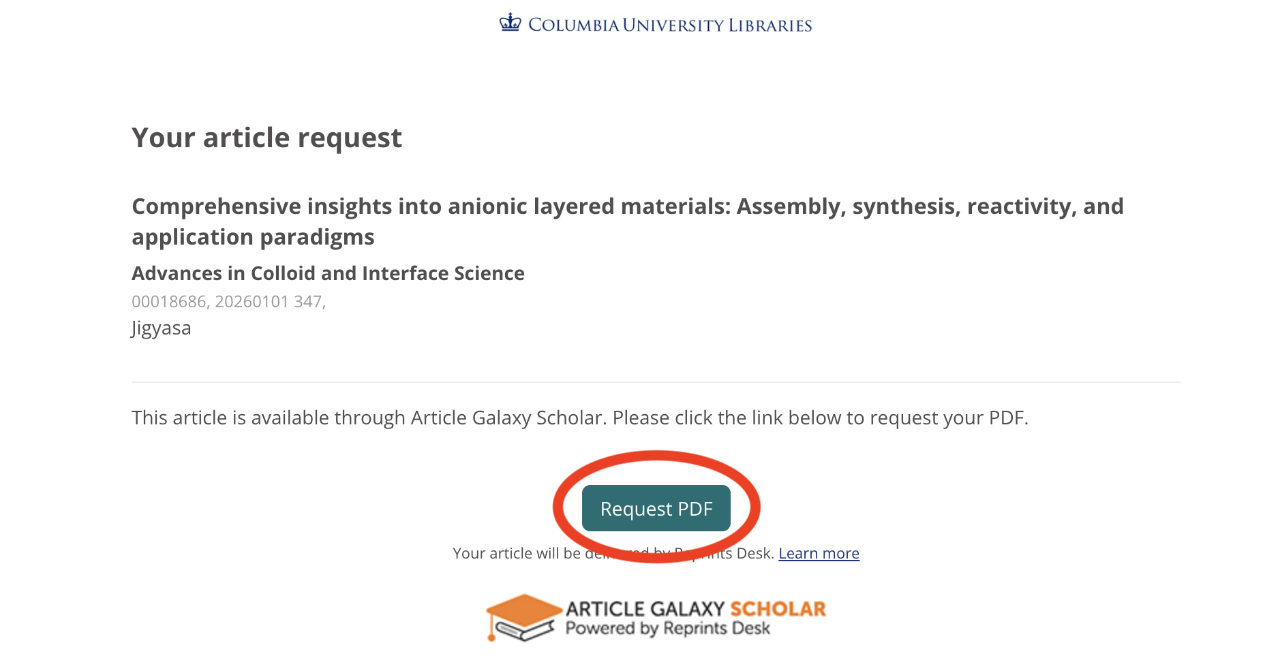
Click on the “Request PDF” button.
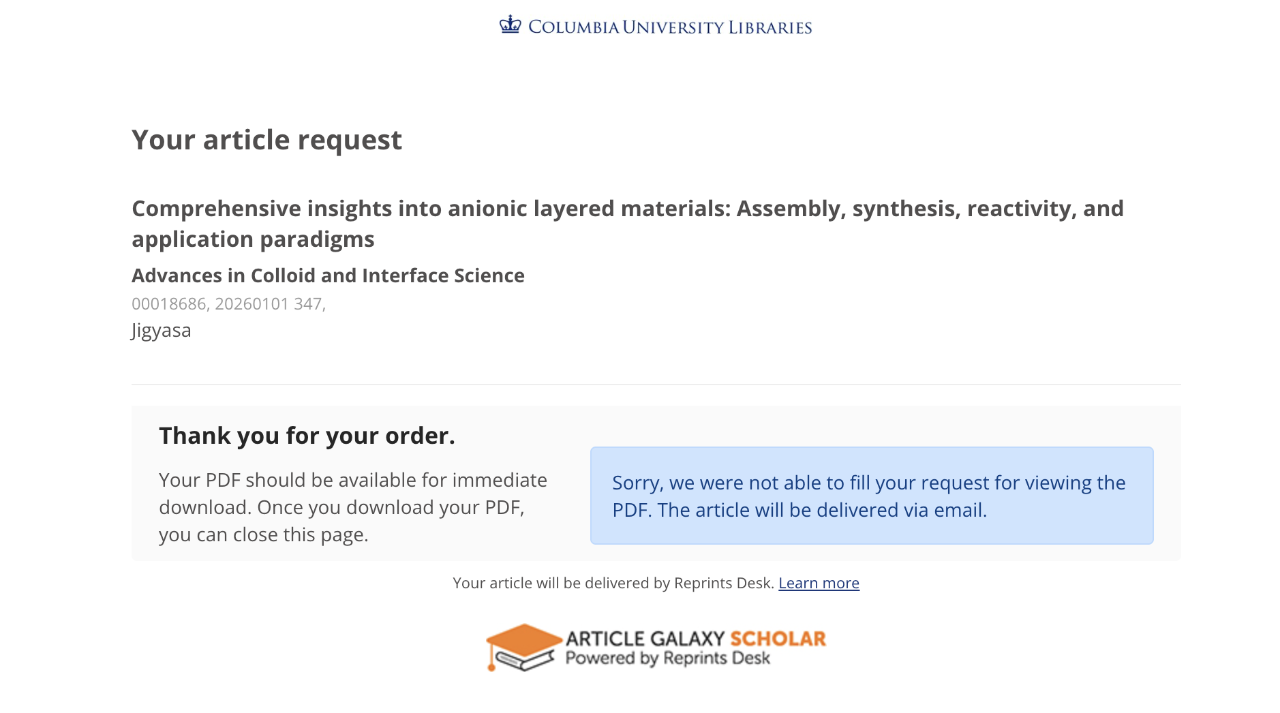
The page will give you status updates while it looks for your article. When it cannot display the article immediately, it will be emailed to you.
![An email that reads "Thank you for your request! Article Request [number] is now available for PDF download followed by a link to the article (circled in red) and more details](/content/libraryweb/collections/eresources/get-articles/_jcr_content/layout_par_main_1/accordion_content_1605676387/d0d3bfe4-e8ae-4415-9daa-a62adc0956b9/textimage/image.img.png/1768592279231.png "ags-email4")
Within one hour, you should receive an email with a link to the article you requested.
If you have received an order confirmation but have not received the article via email, please Ask a Librarian for help.
No. Columbia University Libraries has already arranged for current faculty, students, and staff to have access to the article delivery service, 24/7.
To obtain supplementary materials associated with an article you received via AGS, you can reply directly to the article delivery email you received and ask for the supplement; or you can email customersupport@reprintsdesk.com and refer to the request number in the original email.
If you need further help, please Ask a Librarian.